
How it works
How it works
Pay the way you always do. Nong Sati does the logging
There is nothing new to learn at the till. The slips your banking app already saves to your photos are exactly what Sati works from.
Screens for steps 1 and 2 are design mockups. Step 3 is an app screenshot · sample data.
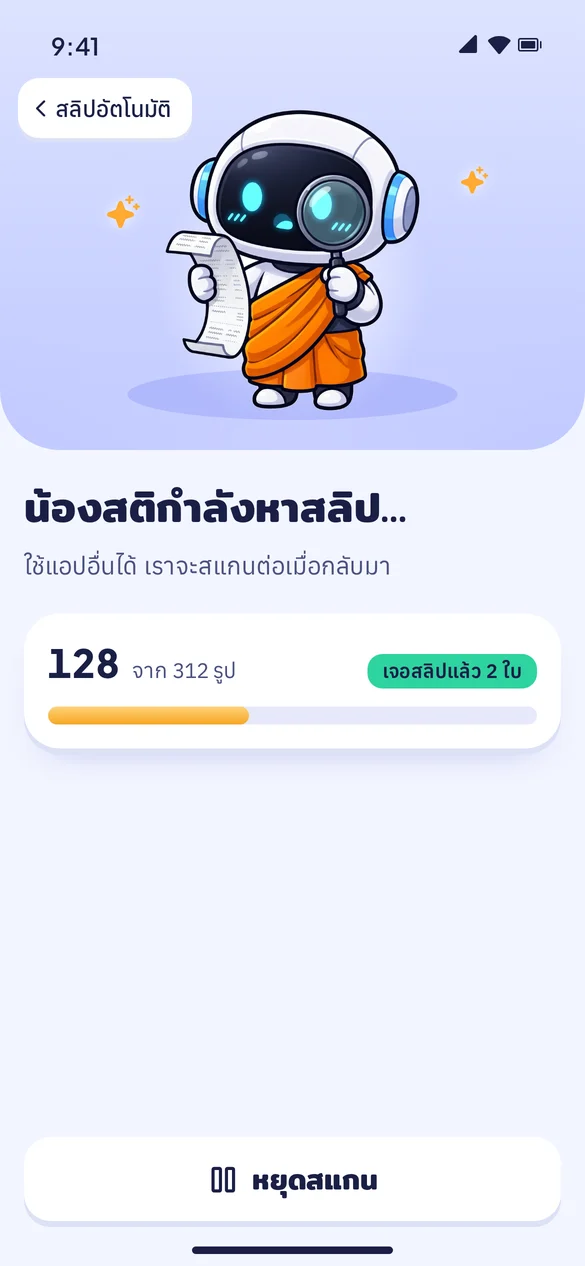 Design mockup
1Find
Nong Sati finds your slips
When you open the app, Sati looks through the photos on your phone for transfer slips. All of this happens on your phone.
 Design mockup
2Choose
Pick the slips to keep
Don’t want to log a slip? Skip it. Nothing is sent until you choose.
 App screenshot · sample data
3Confirm
Check the amount, then save
The amount, date and bank are filled in for you. If something was read wrong, fix it before you save.
Which banks' slips can it read?
 Kasikornbank / MAKE
 SCB
 Krungthai
 ttb
 Krungsri
 Bangkok Bank
 PromptPay
 Card (EDC)
Logos are trademarks of their respective banks. Sati is not affiliated with or endorsed by any bank.
Sati supports slips from Kasikornbank (K PLUS and MAKE by KBank), SCB, Krungthai (including Paotang), ttb, Krungsri and Bangkok Bank, plus PromptPay slips and card-machine (EDC) receipts, and we are adding more over time. If a slip can’t be read, you can fix it yourself before saving. Reading happens on your phone with no limit.
Slip reading is automatic and can get things wrong, so check the amount before you save. If it doesn’t match, tap “Edit before saving” (“แก้ไขก่อนบันทึก” in the Thai interface). Full details are in the Privacy Policy.
Sati is coming to the App Store soon
Coming soon on theApp Store