iPhone An income and expense tracker. Free to start.
Look after your money mindfully
Free to start, no card needed

An income and expense tracker. Free to start
You make a transfer, and Nong Sati finds the slip in your photos and reads the amount right on your phone. You just check it and tap save. No typing, and your slip images are never uploaded.
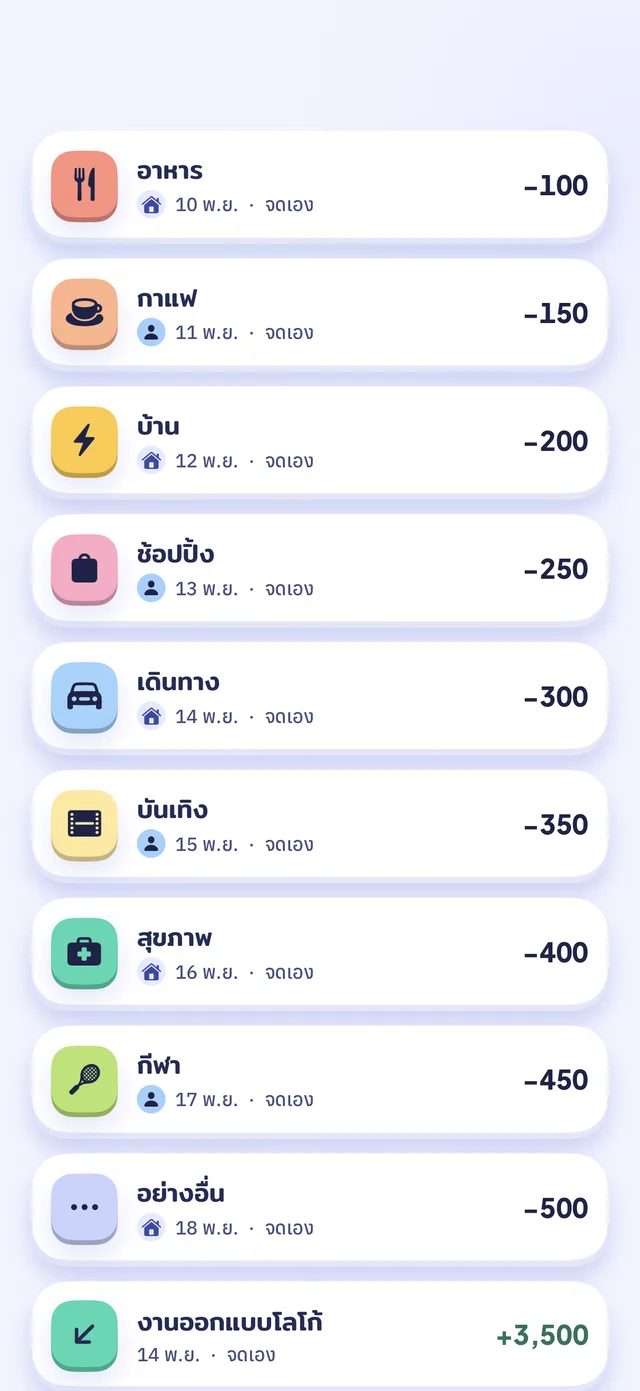
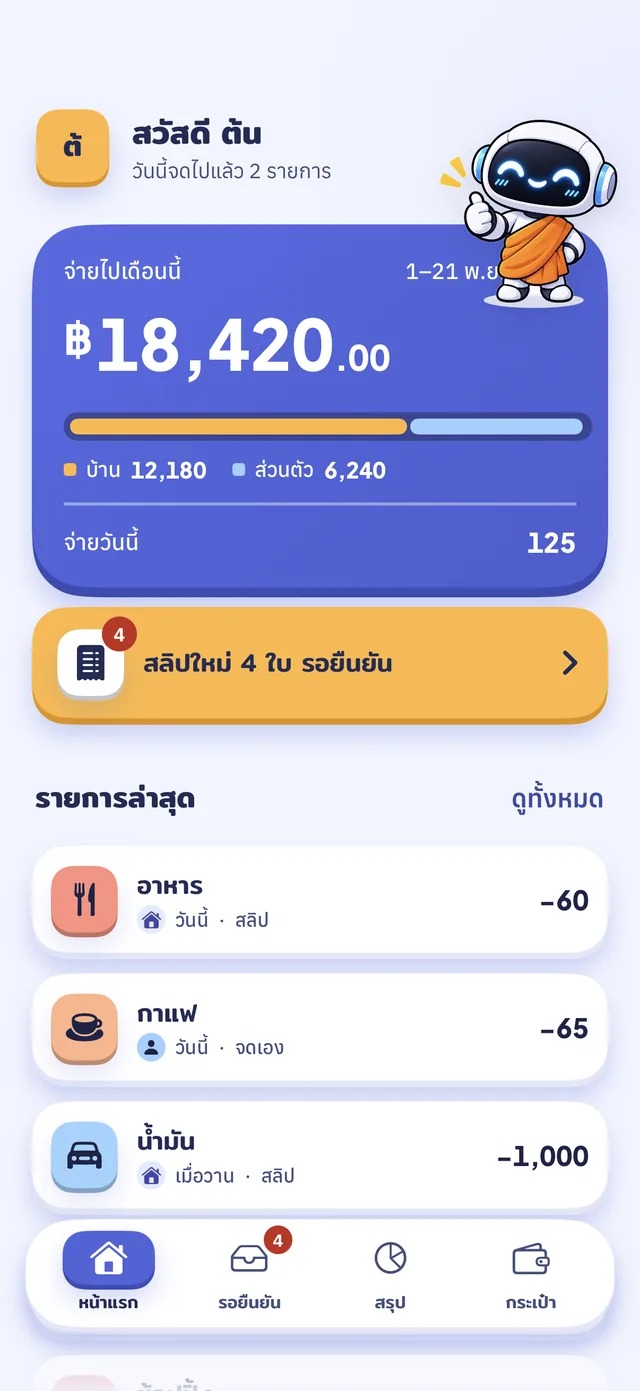 App screenshot · sample data

- Price
- Free to startCore features cost nothing
- Platform
- iPhone · iOS 18+Android coming soon
- Sign-in
- With LINEApple coming soon
- Data stored in
- SingaporeOn servers we run ourselves
Your whole month on one screen, without the pressure
Set a budget, see what’s left
The home screen shows what you have spent this month against the budget you set, so you can see how much is left before the month ends.
Budgets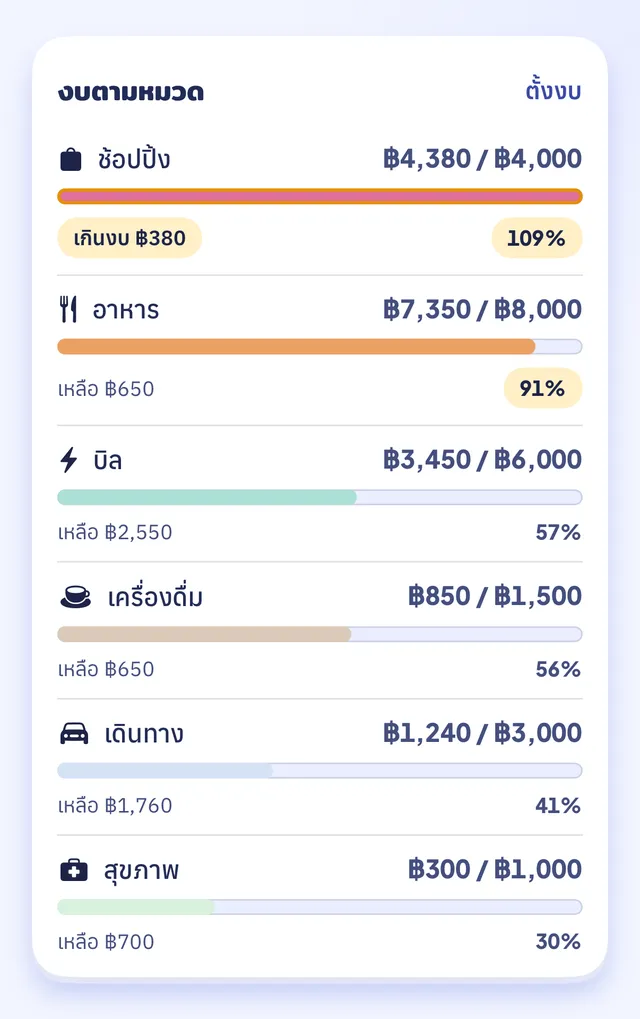 App screenshot · sample data
Share money in a Shared account, keep the rest private
Invite a partner or family member into the Shared account (not a bank account) with an invite code. Entries you share are visible to everyone in the Shared account. Entries you mark personal are visible only to you.
Shared accountSati is for everyone who earns or spends money
For
- People just starting to track their money
- People who mostly pay through banking apps
- Couples, families or flatmates who share money through a Shared account
- Anyone who wants to know where the money goes
Not for (hard to imagine, really)
- People who never use a phone
- People who have never spent a single baht
- People whose personal secretary already logs every baht — though we’d suggest your secretary uses Sati.
Pay the way you always do. Nong Sati does the logging

Nong Sati finds your slips
When you open the app, Sati looks through the photos on your phone for transfer slips. All of this happens on your phone.
Pick the slips to keep
Don’t want to log a slip? Skip it. Nothing is sent until you choose.
Check the amount, then save
The amount, date and bank are filled in for you. If something was read wrong, fix it before you save.
Your money is your business, not ad inventory
- No ads
- No connection to your bank accounts
- Your slip images are never uploaded

Questions people ask
Write to us at support@satimoney.com. We reply to personal-data requests within 30 days.
Are my slip images uploaded?
No. Slips are read on your phone. The only things sent to our server are the amount, date and time, whether money came in or went out, the bank code, the reference and a partly masked counterparty name.
Which banks' slips can it read?
Sati supports slips from Kasikornbank (K PLUS and MAKE by KBank), SCB, Krungthai (including Paotang), ttb, Krungsri and Bangkok Bank, plus PromptPay slips and card-machine (EDC) receipts, and we are adding more over time. If a slip can't be read, you can fix it yourself before saving.
Does it cost anything?
Free to start. Core features cost nothing, and anyone can sign up. Later there will be a points system to unlock features, and optional in-app purchases for extra features. We will share the details before they launch.
Which iPhones does it work on?
Any iPhone running iOS 18 or later.
Is there an Android version?
Not yet. An Android app is coming soon.
Sati is coming to the App Store soon
It isn’t available to download yet. Once it is, the button below will take you straight to the app page.